
Every CRM eventually fills with duplicate company records. "Acme Inc" and "Acme Incorporated" are the same company, but your CRM treats them as two separate accounts. Traditional deduplication tools match on exact strings, missing these obvious duplicates. This tutorial shows how to use AI-powered fuzzy matching to identify and merge company duplicates even when names are spelled differently, abbreviated, or formatted inconsistently. We'll clean 500 company records for under $2.
My Problem
A user on Reddit has the following problem that I've seen dozens of times: They have a large number of entries in their Customer Relationship Management (CRM) system which are a total mess. Entries were created by different people who used different naming conventions. Sometimes data is missing or incomplete.
With futuresearch.ai/dedupe I was able to solve a comparable problem on a 500-row dataset for about $1.50 in two minutes.
Deduplication is a hard problem that comes up all the time. String similarity and fuzzy matching suffer from a threshold prolem (you end up with either too many false positives or too many false negatives) and sometimes fail entirely. For example, "Big Blue" and "IBM" are completely different strings, but refer to the same company. To solve similar problems, you need actual intelligence.
A Real Problem From Reddit: Deduplicating Customer Data
In the post from r/excel the user writes:
"Find fuzzy matches/duplicates within a single column? - unsolved - Is this possible even? My situation is that I'm dealing with a file with a few thousand entries that have a fair amount of information included in a single cell where the company information is kept. The naming structure, loosely of course, is to list the agency handling the company's business, if possible, then the company, then the internal marketing campaign that generated the opportunity if applicable. Ultimately, what results then is a file where many entries look like this:
Agency - Company - Marketing Campaign
But unfortunately that first and last part aren't necessary so some files just have the company or just the company and the campaign or just the company and the agency. Otherwise it'd be easy enough to split the columns based on spaces and correct the few errors but there's pretty significant variance.
So, what I'm looking for is something that will catch entries that contain partial duplicates so that I can tie records like, "Walmart Master," "Ad Agency Walmart Campaign," and "Walmart Campaign" together so that they're linked to the correct company in a CRM.
The core challenge here isn't fuzzy string matching—it's semantic understanding.
Why Traditional Tools Fail
Here's a (toy) example CRM (Customer Relationship Management) data set I use for testing.
The dataset includes the following columns:
- company_name: A company identifier, but with typos, abbreviations, nicknames, varying legal suffixes
- contact_name: Mostly consistent, but sometimes missing or only the first name is provided
- email_address: sometimes missing
Here is a snippet:
| Row | company_name | contact_name | email_address |
|---|---|---|---|
| 1 | Mircosoft | Billie Gates | |
| 2 | Microsoft Inc | Billie | support@microsoft-global.com |
| 3 | Microsoft Corporation | Billie Gates | support@microsoft-global.com |
| 4 | MSFT Corp | Billie Gates | |
| ... | ... | ... | ... |
We clearly see duplicated values, but it's not trivial to actually match them programmatically. How would you do that using fuzzy matching?
Compare, for example, "Mircosoft" vs "MSFT Corp". Two common string similarity metrics are the Levenshtein distance and the Jaro-Winkler similarity. For the two strings, the Levenshtein distance is 7 characters and the Jaro-Winkler similarity is ~0.53.
In order to match "Microsoft" and "MSFT Corp", you'd have to set the matching threshold to an unreasonably low value. If you set the threshold to a more reasonable value like 0.85, you'll end up with a false negative, where you miss the duplicate.
At the same time, even if you use the reasonable 0.85 threshold, you'll still also get false positives! For example, between "AirBnB" and "Airbus" with a Jaro-Winkler distance of ~0.87.
And it gets worse. Consider these examples from the dataset:
| Variation A | Variation B | String Similarity | Same Company? |
|---|---|---|---|
| Big Blue | IBM Corporation | ~46% | Yes |
| BofA | Bank of America Corporation | ~75% | Yes |
| J&J | Johnson & Johnson | ~63% | Yes |
No amount of threshold tuning helps here. You need a system that knows "Big Blue" is IBM's nickname.
The Solution: futuresearch.ai/dedupe
You can easily upload the CSV to futuresearch.ai/dedupe. The only thing left to do is describing in natural language what makes two records duplicates. A preview of 200 rows is free.
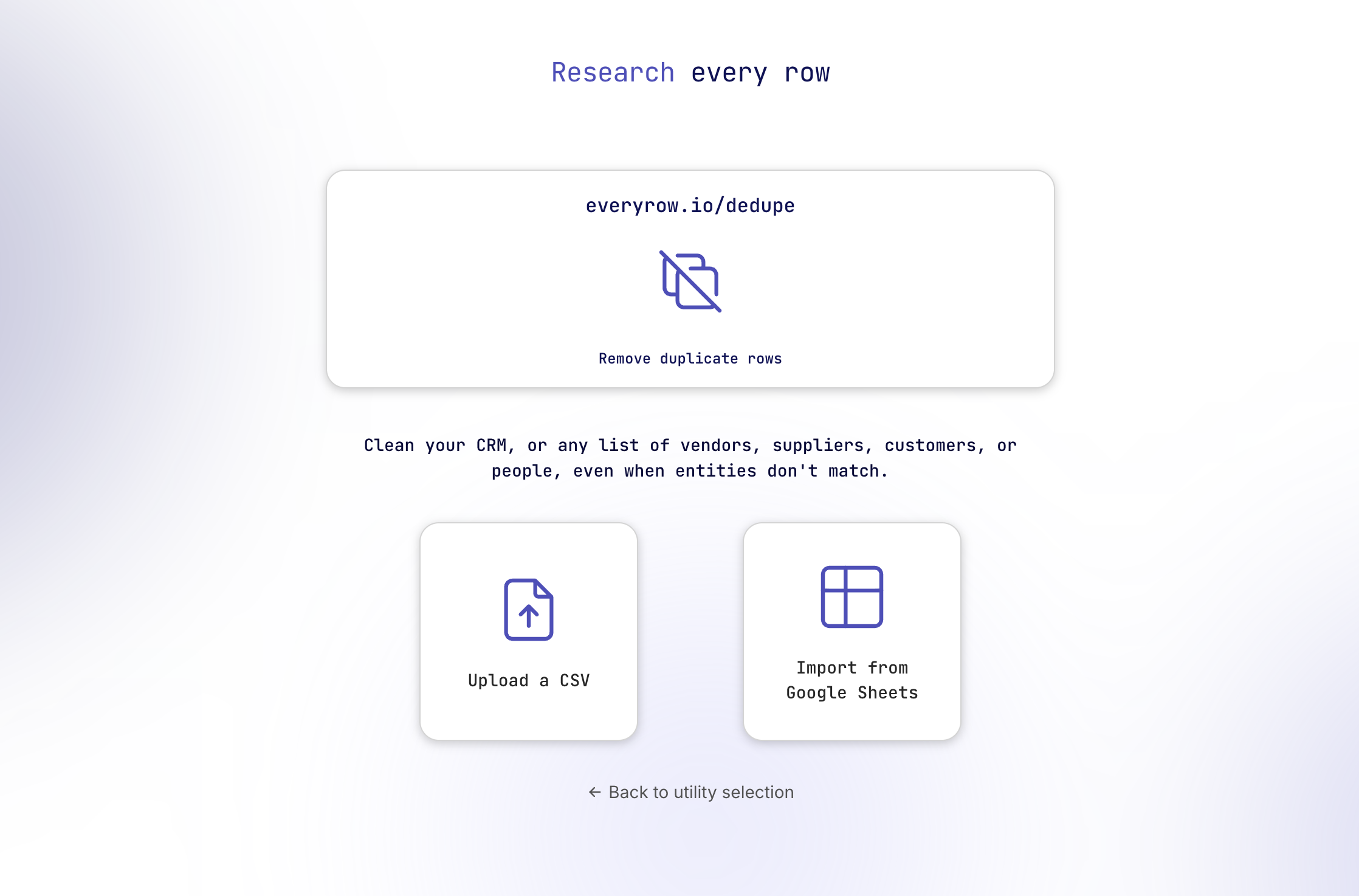
My description for what constitutes a duplicate was:
"Two rows are duplicates if the entries represent the same company (legal entity)"
Once you're happy, press "Send" and wait for the AI to do its magic.
The output is a dataframe where rows are clustered into groups of duplicates. The best entry within a cluster is selected and the rest is marked for deletion.
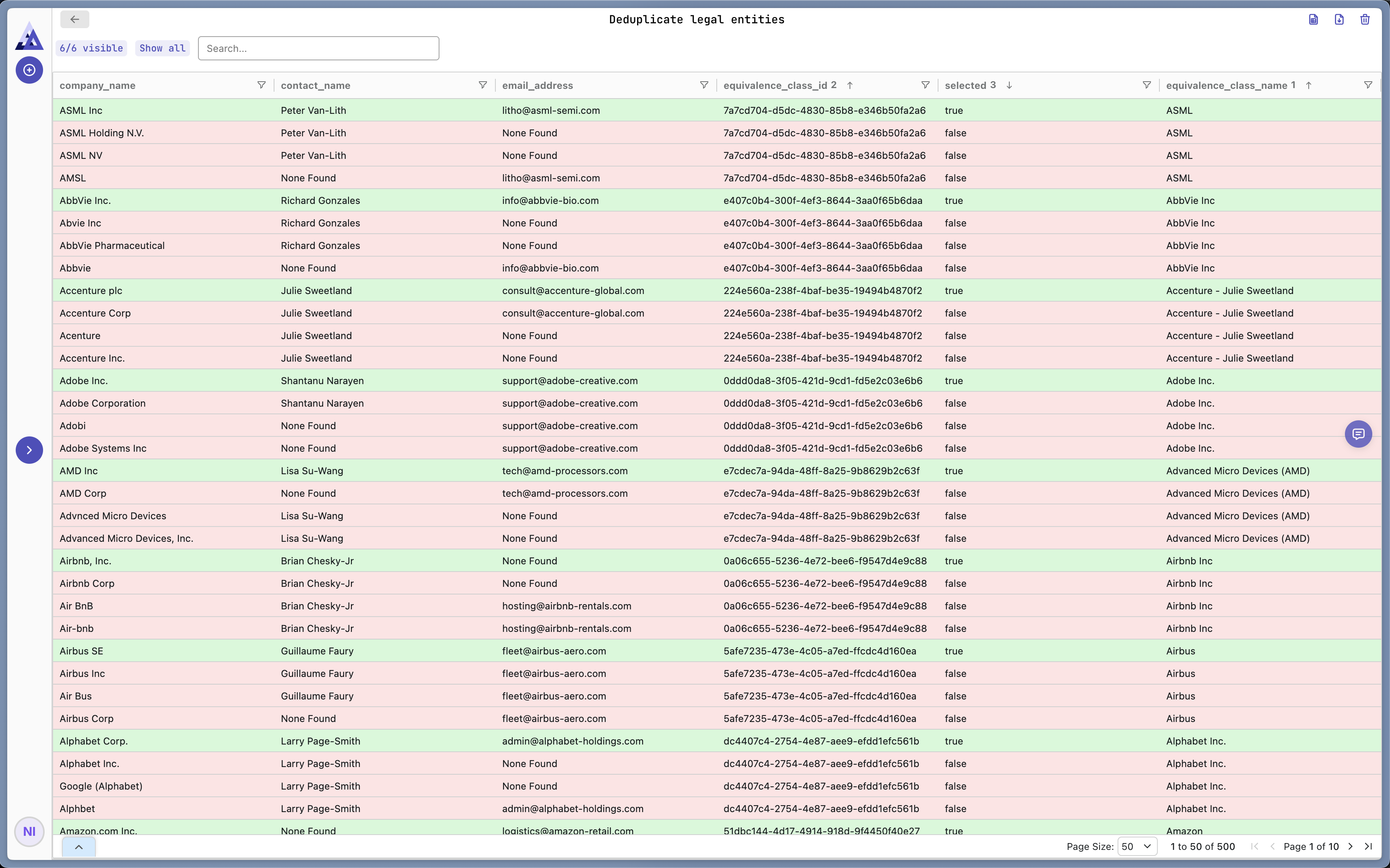
This view helps you understand what the AI did and verify the outcome. You can download this as a csv or export it to a Google Sheet for further processing.
With a simple click of a button we can filter all rows that are marked as duplicates. Again, you can easily download/export a cleaned version of the data.
Cost and Runtime
We started with 500 rows and ended up with 124 rows after deduplication. The deduplication took about two minutes and cost $1.50. If you go to futuresearch.ai/dedupe there is a preview mode that allows you to dedupe 200 rows for free.
This isn't exactly cheap if you compare it to free string matching tools like fuzzywuzzy. For many use cases, however, string matching is simply not an option. You need real intelligence to solve the problem. Compared to having a human look at the data manually, futuresearch.ai/dedupe is extremely cost-effective for a similar level of accuracy.
Other tools like DataGroomr and Cloudingo cost several hundreds or even thousands of dollars per year and don't just work out of the box at comparable levels of accuracy.
Try It Yourself
- Visit FutureSearch
- Upload your csv file or import a Google Sheet
- Describe what makes two records duplicates in plain English
- Explore the deduplicated clusters and download/export the cleaned data
The first 200 rows are free, so you can test on real data before committing.
You can also check out my session here.
SDK for Developers
If you're a developer, you can use our SDK to integrate deduplication and other AI-powered tools into your own workflows. Checkout this python notebook that presents the same case study using the SDK in python.