
September 2026: the operation on this page (merge) is deprecated and will be removed. There is no drop-in replacement for merging or deduplicating tables; agent_map can research each row, and the deprecated call keeps working for now.
TLDR: CRM migrations fail when you bring dirty data to the new system. Before switching from HubSpot to Salesforce (or any CRM transition), you need to deduplicate records, match related data across tables, and merge fragmented customer information. This workflow shows how to clean your CRM export, match contacts to companies, and prepare a single source of truth—so your migration starts with clean data, not inherited chaos.
My Problem: getting the data into the right shape pre-HubSpot upload
CRMs are great for keeping me organized. But the second you try to do anything that resembles real research in a CRM workflow, it gets messy.
I started with a list of leads (investment funds). My goal was to get everything into HubSpot, where I'm treating funds as companies and contacts as the people linked to those companies.
I often find myself struggling with the data I actually want living across two levels:
- Fund-level context (scores, research hooks, team size)
- Contact-level rows (name, title, email)
If you upload contacts without the fund-level context attached, you end up doing extra work inside the CRM. And if you try to keep fund-level data in one table and contacts in another, you end up constantly transferring columns between tables as your scoring or research changes.
What I wanted instead was one flat export where every contact row already includes the fund-level fields.
How I flattened everything
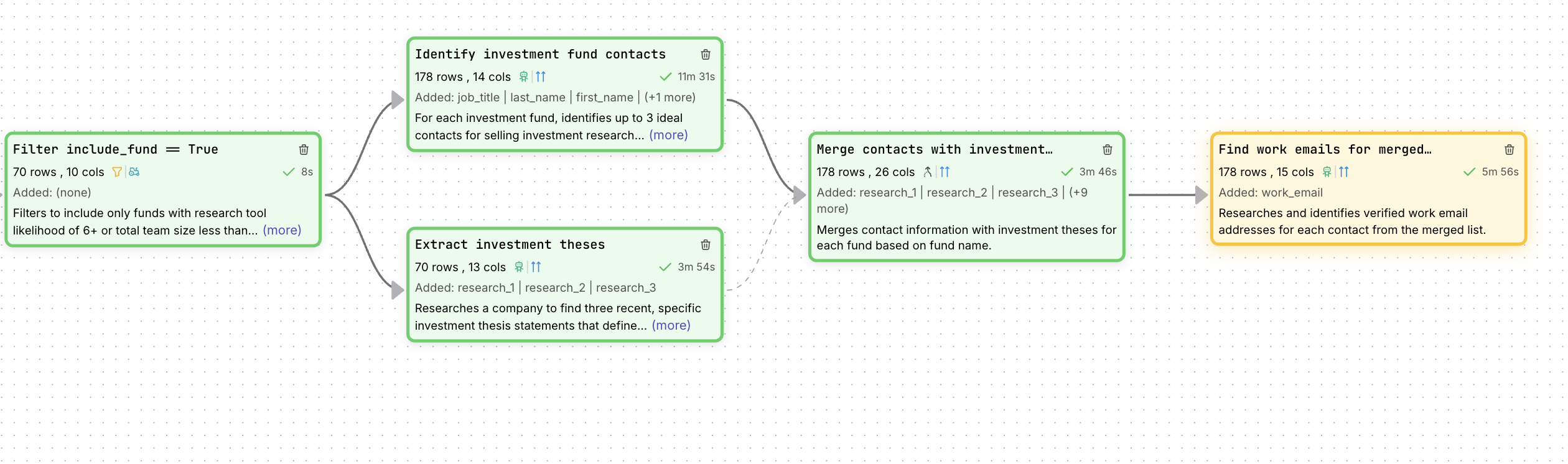
In FutureSearch, I used the merge tool to join my contacts table with my funds table on the fund name column.
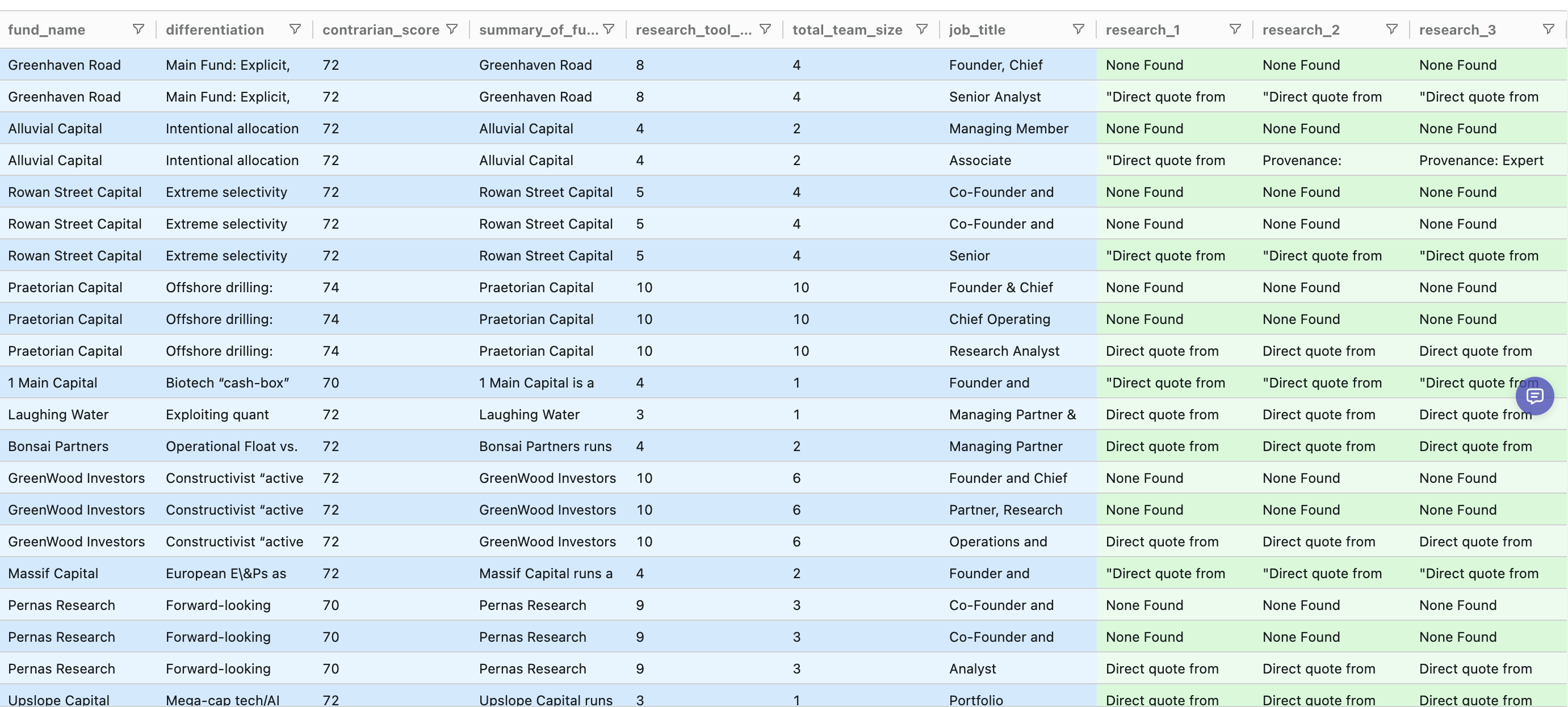 The green columns reflect fund-level research hooks now being attached to every contact row.
That gave me a single export where each contact row included:
- Contact info (name, title, email)
- Fund info (differentiation strategy, research tool likelihood, team size)
- Outreach hooks (research_1, research_2, research_3)
From there, it was exactly what I wanted: one CSV upload to HubSpot, and everything linked correctly.
That's the whole reason I use merge: do the heavy lifting once, then upload a clean, CRM-ready list.
If your bottleneck is "I have the research, but I can't get it into my CRM cleanly," this workflow is worth trying.
You can test it on your own data at futuresearch.ai/merge.